Frame-accurate timeline
Author with exact half-open frame ranges and precise state transitions.
 AVAL Design Studio
View on GitHub
AVAL Design Studio
View on GitHub
AVAL Design Studio is a community-built visual authoring tool for .avl—the
open interactive video file format created by
Pixel Point.
Checking the latest desktop release…
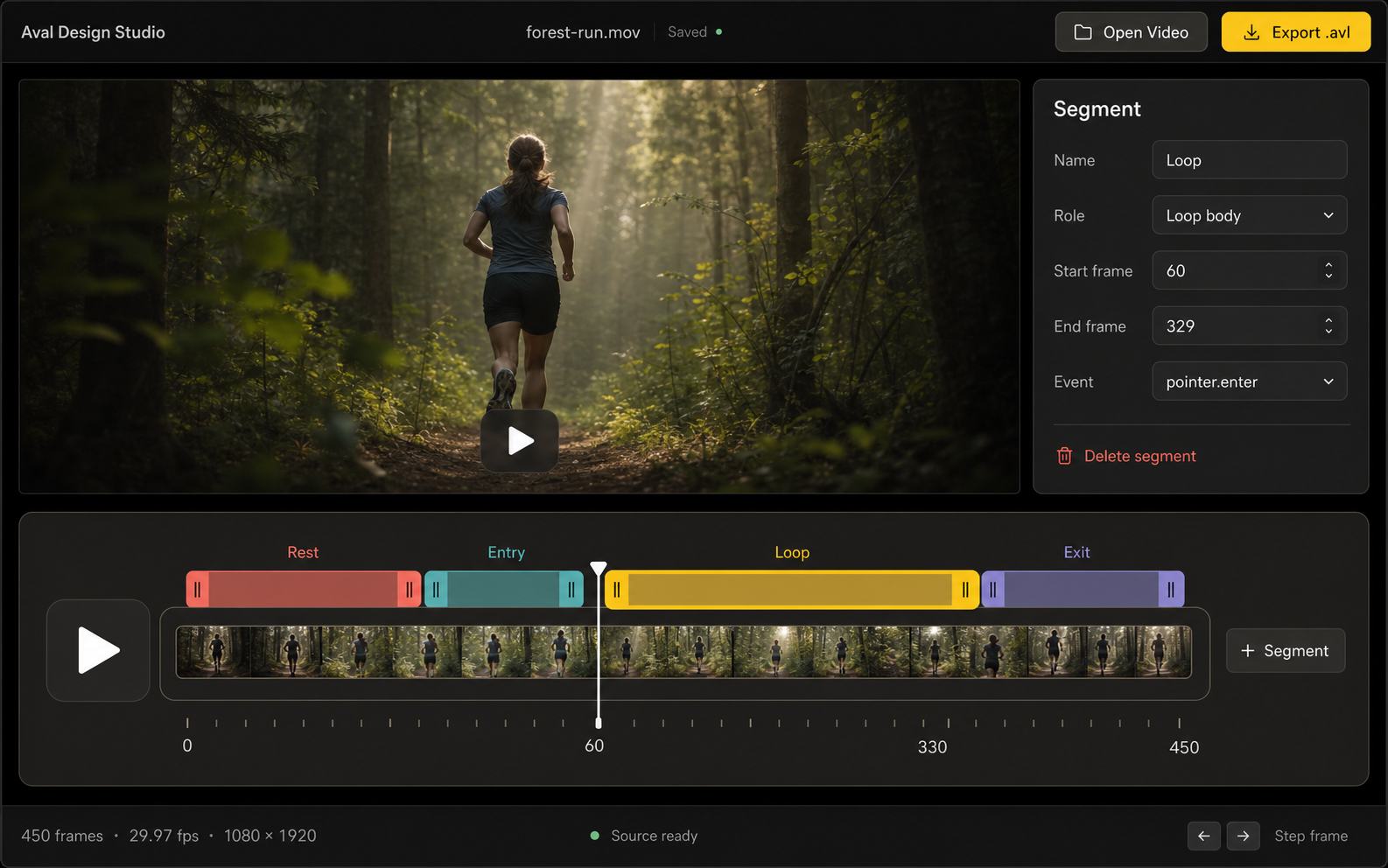
Open local media. Studio inspects timing, dimensions, codec, transparency, and source-prep requirements.
Define states, units, routes, triggers, loops, reversals, and exact half-open frame ranges.
Compile AV1, VP9, H.265, and H.264 assets with the official AVAL compiler.
.avl file format is the foundation.AVAL was created and open-sourced by Pixel Point.
AVAL packages prerendered motion, named application states, authored triggers, bounded transitions, reversals, and packed transparency for the web.
.avl
One logical animation is published as an ordered codec bundle. Every rendition carries the same state graph and authored timing, so the browser can choose AV1, VP9, H.265, or H.264 without changing behavior.
Author with exact half-open frame ranges and precise state transitions.
Scrub, step, and inspect states and routes with instant feedback.
Prepare and validate transparency for reliable browser playback.
Source media stays on your machine. No upload is required.
Compiler, Node runtime, and media-tool provenance are pinned and recorded.
Uses the official AVAL compiler for encoding and browser-ready bundles.
AVAL Design Studio is an independent MIT-licensed companion to AVAL. Designers, animators, web developers, codec experts, and accessibility advocates can help make authoring easier while the official AVAL compiler remains the authority for every final bundle.
Share an idea or report a problemOne authored project. Four ordered codec outputs.
Build the authoring tools, improve the format, and grow the AVAL community.